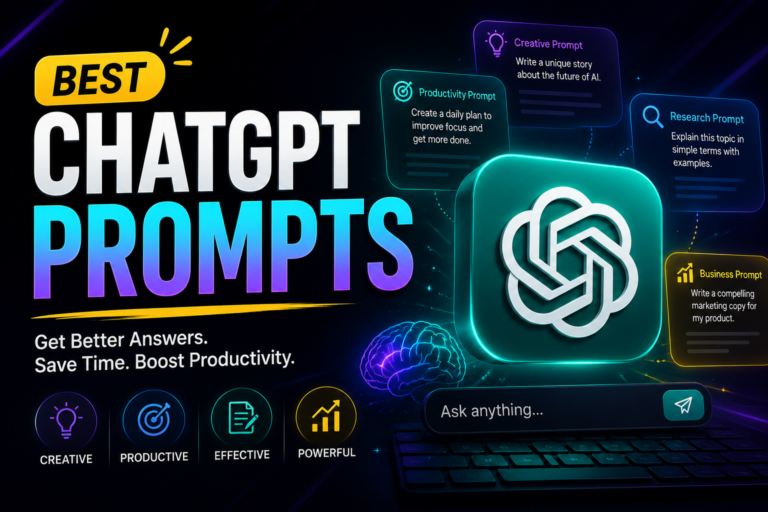
ChatGPT in 2026: Features, Pricing, and How to Actually Use It Well
Quick answer: ChatGPT is OpenAI’s AI assistant, now running on the GPT-5.6 model family (Sol, Terra, and Luna) released July 9, 2026. Beyond chat, it can now execute multi-step tasks through ChatGPT Work and handle coding through a merged Codex experience. Plans range from free to Plus at $20/month, with Pro tiers at $100 and $200/month for heavier use.
Overview
ChatGPT, OpenAI’s conversational AI model, has become a genuine fixture in how a lot of people work, not just a novelty chatbot. This guide covers what it actually does in 2026, what each pricing tier gets you, and how to use it well — whether you’re a business owner, an educator, or just someone trying to get more out of it than a slightly-smarter search bar.
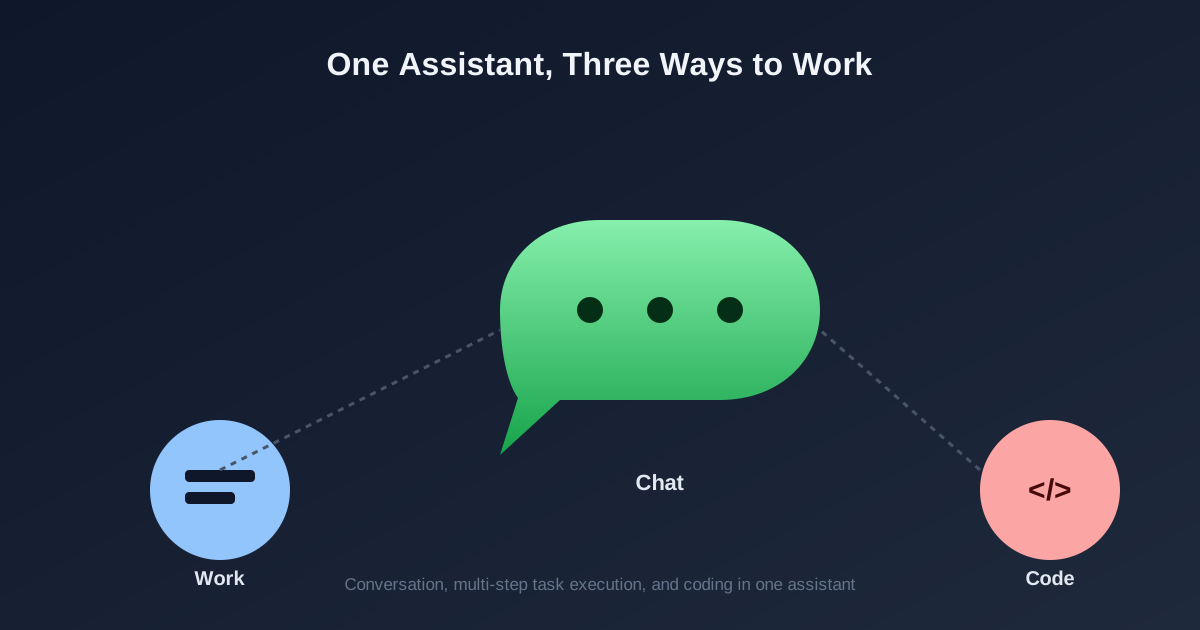
The product itself has changed shape recently. On July 9, 2026, OpenAI shipped the GPT-5.6 model family and merged the standalone Codex app into the main ChatGPT desktop client, adding a new agent called ChatGPT Work that can stay on a multi-step task for hours and hand back finished spreadsheets, slides, or documents instead of just a chat reply. That’s a meaningfully different product than the one most people tried in 2023, so it’s worth re-learning even if you’ve used ChatGPT before.
Editorial note: This article was reviewed by the TribunePK editorial team and fact-checked against official documentation and trusted industry sources before publication. Learn more about our Editorial Policy.
Who this guide is for
This is written for anyone deciding whether to use ChatGPT, which plan to pay for, or how to get noticeably better results out of it — small-business owners, educators, developers, researchers, and everyday content creators. It’s less useful if you’re already deep into OpenAI’s Enterprise or API pricing negotiations, where account-specific terms matter more than the consumer tiers covered here.
Why you can trust this guide
Every pricing and feature claim below was checked against OpenAI’s own help-center and pricing pages, then cross-referenced against independent reporting from OpenAI’s July 9, 2026 GPT-5.6 launch, since a change this large tends to be covered from several angles within days. Where a detail — like exact rollout timing on a specific plan — couldn’t be independently confirmed, that’s noted rather than stated as settled fact.
Fact check
Pricing figures were verified in July 2026 against OpenAI’s help center and business pricing pages. Model access details reflect the GPT-5.6 (Sol/Terra/Luna) rollout that began July 9, 2026; OpenAI has changed ChatGPT’s pricing and plan structure more than a dozen times over the prior twelve months, so treat any specific tier name or limit here as accurate for July 2026 and re-check before making a purchasing decision.
Disclosure
This article contains outbound links to OpenAI’s own pages and independent reporting used for verification. It does not contain affiliate links, and this site has no financial relationship with OpenAI that influenced this guide.
What’s new since our last update
- GPT-5.6 went live on July 9, 2026 as three named tiers — Sol (heavy reasoning and coding), Terra (balanced everyday research), and Luna (fast, lightweight tasks) — replacing the numbered GPT-5.5 lineup on paid plans.
- The standalone Codex desktop app merged into ChatGPT, with Chat, Work, and Codex now living as switchable modes inside one client rather than separate downloads.
- ChatGPT Work launched as a new agent that turns a goal into finished output — spreadsheets, slides, documents, or a simple web app — by breaking it into steps and running independently for extended periods, with a Plan mode you approve before it starts.
- A new $100/month Pro tier arrived on April 9, 2026, sitting between Plus ($20) and the original $200 Pro tier, giving power users a mid-point option that didn’t exist before.
Key features
- Natural, context-aware conversation: ChatGPT holds context across a long back-and-forth, which is what makes it useful for anything beyond a single one-off question — a support conversation that moves from a product question to a troubleshooting step, for instance, without needing to repeat earlier details.
- ChatGPT Work (agentic execution): Rather than just answering in the chat window, Work can gather information across connected apps, break a goal into steps, and return finished materials — a first draft of a report, a formatted spreadsheet, a slide deck — while checking in with you at the points you’ve configured.
- Codex for coding: Now built into the same desktop app as Chat and Work, Codex handles inline code edits and pull-request review, useful for a developer who wants AI assistance without switching between separate tools.
- Custom GPTs and Projects: You can build a version of ChatGPT tuned to a specific role or task — a customer-support persona, a study-tutor persona — by setting instructions and context once rather than re-explaining them every session.
- API and integration access: Developers can call GPT-5.6 directly through OpenAI’s API (Sol pricing runs roughly $5 per million input tokens and $30 per million output tokens) to embed ChatGPT’s capabilities into their own websites, apps, or internal tools.
Pricing in 2026
ChatGPT’s pricing ladder has gotten more complicated over the past year — there are now six consumer-facing tiers instead of the original two. Here’s what each one actually includes:
| Plan | Price | What you get |
|---|---|---|
| Free | $0/month | Limited access to the lighter default model, ads in some regions, tight daily message limits |
| Go | $8/month | Higher message limits than Free, still ad-supported, does not include the flagship Sol model |
| Plus | $20/month | Full GPT-5.6 Sol access, Deep Research (10 runs/month), Codex, ChatGPT Work, Sora, ad-free, price unchanged since Feb. 2023 |
| Pro | $100 or $200/month | 5x or 20x Plus usage limits, Sol Pro reasoning mode, maximum Deep Research and Codex headroom |
| Business | ~$20–25/seat/month | Team workspaces, SAML SSO, SOC 2 compliance, 60+ app integrations, 2-seat minimum |
| Enterprise | Custom | Negotiated terms, dedicated support, advanced admin and security controls |
The plan most individual users should land on is still Plus. It’s the cheapest tier that includes the actual flagship model, and its price hasn’t moved in three years even as the feature set has expanded considerably. For a side-by-side against other assistants at this same price point, see our Claude vs ChatGPT pricing breakdown or our Grok vs ChatGPT vs Gemini comparison.
Pros and cons
Pros
- High-quality, natural text generation that holds up across long conversations, useful anywhere user engagement matters, like live chat support.
- Genuinely broad applicability — the same core tool works for customer support drafts, lesson planning, code review, and market-trend summaries.
- Frequent, substantive updates rather than cosmetic ones; the July 2026 release changed the underlying workflow, not just the model’s benchmark scores.
- A real budget option (Go, $8/month) and a real mid-tier option (Pro, $100/month) now exist, narrowing the old jump from $20 straight to $200.
Cons
- Can still produce confidently wrong answers, so critical information — anything touching health, legal, or financial decisions — needs independent verification.
- Output quality depends heavily on prompt quality; vague requests reliably produce generic, less useful answers.
- The six-tier pricing ladder is genuinely confusing, and it’s easy to buy the wrong plan (Go) expecting flagship-model access it doesn’t include.
- Heavy, sustained use gets expensive quickly once you’re past Plus, particularly for a small team paying per seat on Business.
Who it’s best for
- Businesses automating customer support or documentation — a retail company answering FAQs or tracking orders, for example — can hand off routine queries and free up staff time for more complex cases.
- Educators building quizzes, lesson plans, or personalized explanations for students at different levels.
- Developers who want AI assistance built into a coding workflow via Codex, or who want to embed ChatGPT into their own product through the API.
- Researchers using Deep Research to speed up literature scans, generate hypotheses, or draft early-stage proposals that still need expert review.
- Content creators — writers, marketers, social media managers — brainstorming ideas or producing first drafts they’ll edit rather than publish verbatim.
Who should skip it
ChatGPT isn’t the right tool for everyone. If your work depends on knowing what’s happening on social media or the open web in the last few hours, a search-native assistant like Grok will generally serve you better — see our note on that trade-off in the Grok vs ChatGPT vs Gemini comparison. If your team already lives inside Gmail, Docs, and Drive all day, a Google Workspace-native assistant may remove more friction than a separate ChatGPT subscription would. And if you need guaranteed factual accuracy without any human review step — regulatory filings, medical diagnoses, legal opinions — ChatGPT should support that process, not replace the professional making the final call.
Real-world scenario
A small marketing team needs a week’s worth of social posts, a client email, and a first-draft slide deck summarizing campaign results. Instead of doing each task separately, one person hands ChatGPT Work the goal — “summarize this month’s campaign data into a five-slide deck and draft three social posts highlighting the top result” — reviews the step-by-step plan it proposes, approves it, and comes back later to a usable draft deck and post copy to edit rather than write from scratch. That’s a realistic use of the agentic Work mode; it still needs a human editing pass before anything goes out.
Expert tips
- Be specific. “What are the key characteristics of Labrador Retrievers?” gets a far more useful answer than “tell me about dogs.” Specificity is the single biggest lever on output quality.
- Set the tone deliberately. If you’re writing for a formal audience, say so in the prompt; if you want something conversational, ask for that explicitly rather than hoping the default tone fits.
- Give it real context. Sharing the actual goal, audience, or constraints behind a request — not just the surface-level task — consistently produces more usable output than a bare instruction.
- Use Plan mode in ChatGPT Work before letting it run. Reviewing the proposed step-by-step plan first catches misunderstandings before they turn into wasted work.
Common mistakes to avoid
- Using vague prompts and expecting tailored output. Fix: state the audience, format, and goal explicitly rather than leaving them implied.
- Not following up within the same conversation. ChatGPT retains context, so treating each message as an isolated query wastes that capability. Fix: build on the existing thread instead of restarting it.
- Publishing generated content without a review pass. Fix: always check facts, tone, and appropriateness before anything goes out the door, especially in professional or academic settings.
- Buying Go expecting the flagship model. Fix: confirm which model a tier actually includes — Go stays on the lighter default model, not GPT-5.6 Sol.
Verdict
If you only remember one thing: ChatGPT in 2026 is no longer just a chat window — the addition of Work and the Codex merger make it a genuine task-execution tool, but the six-tier pricing structure means it’s worth double-checking exactly which model and features a plan includes before you pay for it. For most individual users, Plus at $20/month remains the plan that makes the most sense to start with.

FAQs
What are the primary uses of ChatGPT?
ChatGPT is used for customer service, content drafting, coding assistance, tutoring, and research support, among other tasks. In customer service specifically, it can handle routine inquiries directly, letting businesses resolve simple questions without a human agent while reserving staff time for more complex cases.
How does ChatGPT pricing work in 2026?
Pricing ranges from a free tier with limited access up to a $200/month Pro plan, with Go ($8), Plus ($20), and a second Pro tier ($100) in between. Businesses generally land on the per-seat Business plan (roughly $20–25/user/month) rather than individual subscriptions. See our Claude vs ChatGPT pricing guide for a comparison against another major assistant.
Is ChatGPT suitable for educational use?
Yes — educators use it to build quizzes, plan lessons, and generate practice problems or topic summaries tailored to a specific class level. It works well as a drafting and brainstorming aid for teachers, though generated material should still be reviewed for accuracy before it reaches students.
What are ChatGPT’s common limitations?
It can produce inaccurate or overly generic answers, especially with vague prompts, and its knowledge reflects patterns in its training data, which can introduce bias. It’s important to verify anything from ChatGPT that touches critical decisions, like healthcare or legal matters, rather than treating its output as a final authority.
How can I integrate ChatGPT into my own application?
Through OpenAI’s API, which lets developers embed GPT-5.6 directly into a website, app, or internal tool and manage sessions, prompts, and responses programmatically. Sol API pricing runs roughly $5 per million input tokens and $30 per million output tokens as of July 2026. See our DeepSeek vs ChatGPT vs Gemini comparison for how a lower-cost alternative compares on API pricing.
Review methodology
Pricing and feature details in this guide were checked against OpenAI’s own help-center and pricing pages, then cross-referenced against independent coverage of the July 9, 2026 GPT-5.6 launch to catch anything OpenAI’s own pages understated or hadn’t yet updated. No claims here are based on original benchmark testing we ran ourselves.
Last Reviewed: July 2026 | Last Updated: July 2026 | Next Scheduled Review: October 2026
Related articles
- Grok vs ChatGPT vs Gemini: Which AI Tool Should You Choose?
- Claude vs ChatGPT 2026: Full Pricing & Feature Guide
- Copilot vs ChatGPT vs Gemini: Which Is Best for You?
- DeepSeek vs ChatGPT vs Gemini: 2026 Comparison
- AI Business Automation: Streamlining Your Operations
- AI for Small Business: Transforming Operations and Growth
Sources
About the Author