Streamline Billing with an AI Invoice Generator
Quick Answer
An AI invoice generator is software that automatically creates professional invoices using artificial intelligence. It can import customer details, calculate taxes, apply discounts, generate payment reminders, and integrate with accounting software to reduce manual work and billing errors.
Whether you’re a freelancer, agency owner, eCommerce seller, or small business, an AI invoice generator helps you create invoices in minutes instead of spending valuable time preparing them manually. Faster invoicing often leads to quicker payments, improved cash flow, and a more professional customer experience.
Last Updated: July 2026 — Reviewed for accuracy, usability, and current AI invoicing trends.
In-Depth Explanation
What Is an AI Invoice Generator?
An AI invoice generator is a digital invoicing solution that uses artificial intelligence to simplify and automate invoice creation. Instead of manually entering customer information, product details, taxes, payment terms, and totals every time you bill a client, AI can automatically populate this information from your CRM, accounting software, project management system, or previous invoices.
Unlike traditional invoice templates, AI-powered tools learn from previous invoices and customer behavior. Many platforms can recognize repeat clients, suggest commonly billed services, recommend payment terms, detect duplicate entries, and even flag potential pricing mistakes before an invoice is sent.
For freelancers and consultants, this means less administrative work and more time spent on billable projects. For growing businesses processing dozens or hundreds of invoices every month, automation significantly reduces human error while improving overall efficiency.
For example, imagine a freelance graphic designer who invoices twenty clients every month. Instead of creating every invoice manually, an AI invoice generator can automatically insert client information, project descriptions, agreed pricing, tax rates, and payment instructions. The designer simply reviews the invoice and clicks Send, reducing a task that once took hours to just a few minutes.
How Does an AI Invoice Generator Work?
Most AI invoice generators connect with your existing business tools, including accounting software, CRM platforms, payment gateways, inventory systems, and banking applications.
The typical workflow looks like this:
- Import customer information automatically.
- Select products or services provided.
- AI fills pricing, taxes, discounts, and invoice numbers.
- Choose a professional invoice template.
- Send the invoice via email or share a secure payment link.
- Track payment status in real time.
- Automatically send reminders for overdue invoices.
Many advanced solutions also include intelligent features such as:
- Automatic tax calculations
- Multi-currency support
- Recurring invoices
- Subscription billing
- Purchase order matching
- Fraud detection
- Payment prediction
- Cash flow forecasting
- Expense tracking
- AI-generated invoice descriptions
Some enterprise platforms even analyze historical billing data to predict late-paying customers, recommend optimal payment terms, and identify unusual billing activity before invoices are sent.
Why AI Invoice Generators Matter
Invoicing is one of the most important financial processes in any business. Even profitable companies can struggle if invoices are delayed or payments arrive late.
Manual invoicing often creates problems such as:
- Typing mistakes
- Incorrect calculations
- Duplicate invoices
- Forgotten invoices
- Slow approval processes
- Missing tax information
- Delayed payments
AI dramatically reduces these issues by automating repetitive tasks and validating invoice data before delivery.
For example, consider a digital marketing agency serving 60 monthly clients. If each invoice takes 12 minutes to prepare manually, the agency spends nearly 12 hours every month on invoicing alone. With AI automation, that time can be reduced to less than two hours while improving accuracy and consistency.
The financial benefits extend beyond time savings.
Businesses that send invoices immediately after completing work often receive payments faster than businesses waiting several days. Faster payments improve cash flow, reduce outstanding receivables, and make financial planning much easier.
AI invoice generators also create a better customer experience. Professionally formatted invoices, accurate billing information, multiple payment options, and automated payment reminders reduce confusion and help build trust with clients.
As companies continue adopting AI across finance, accounting, and customer service, invoice automation has become one of the highest-return investments for small and medium-sized businesses.
AI Invoice Generator vs Traditional Invoice Templates
Many businesses still rely on spreadsheets or simple document templates. While these methods work for occasional invoicing, they become increasingly inefficient as a business grows.
| Feature | Traditional Template | AI Invoice Generator |
|---|---|---|
| Manual data entry | Yes | Mostly automated |
| Error detection | No | Yes |
| Recurring invoices | Manual | Automatic |
| Payment reminders | Manual | Automatic |
| Multi-currency support | Limited | Usually built-in |
| CRM integration | No | Yes |
| Accounting integration | Limited | Yes |
| Analytics | None | Advanced |
| Time required | High | Very low |
For businesses sending only a few invoices each month, a basic template may be sufficient. However, once invoicing becomes a regular operational task, AI-powered automation typically delivers a better return on investment through improved productivity and reduced administrative overhead.
Key Benefits at a Glance
Using an AI invoice generator can help businesses:
- Save several hours every month on administrative work.
- Reduce costly invoicing mistakes.
- Improve payment collection speed.
- Maintain consistent branding across invoices.
- Support international clients with multiple currencies and tax rules.
- Automate recurring billing.
- Gain insights into cash flow and customer payment behavior.
- Scale invoicing without hiring additional administrative staff.
These advantages make AI invoice generators particularly valuable for freelancers, agencies, consultants, SaaS companies, online stores, and service-based businesses that invoice clients regularly.
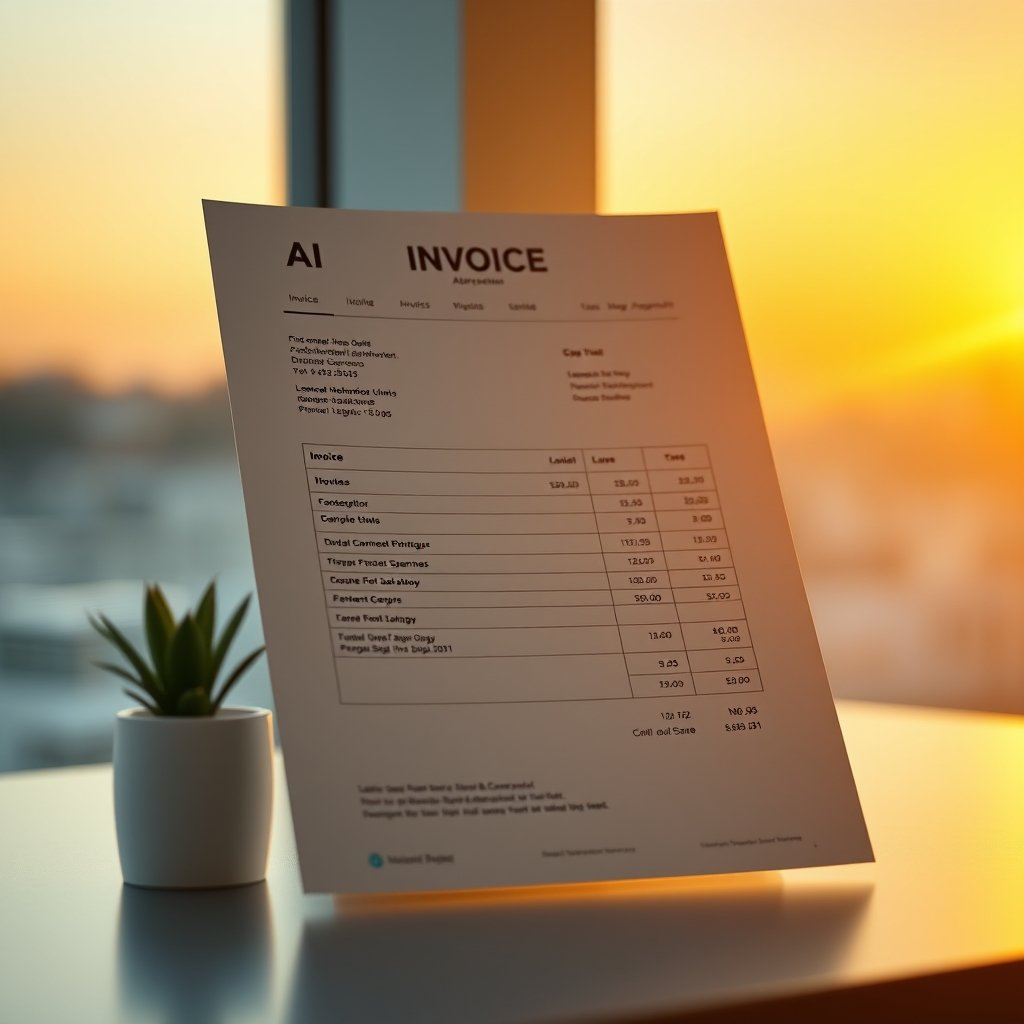
Advantages of Using an AI Invoice Generator
AI invoice generators do much more than replace manual invoice templates. Modern platforms combine automation, artificial intelligence, and financial reporting to help businesses improve efficiency while reducing administrative work. Whether you’re a freelancer sending five invoices a month or a company processing thousands, automation can significantly improve your billing workflow.
1. Saves Valuable Time
Creating invoices manually requires entering customer information, calculating taxes, checking pricing, formatting documents, and sending emails. These repetitive tasks consume valuable business hours.
An AI invoice generator automates these processes by using saved customer profiles, recurring invoice templates, and smart data entry. Many businesses reduce invoice preparation time from several minutes per invoice to less than one minute.
For example, a freelance web developer managing 30 monthly clients can reclaim several hours each month simply by automating recurring invoices and payment reminders.
2. Reduces Human Errors
Manual data entry often leads to mistakes such as:
- Incorrect customer names
- Wrong invoice numbers
- Missing tax calculations
- Duplicate invoices
- Pricing errors
- Incorrect payment terms
AI-powered validation checks identify many of these issues before invoices are sent, helping businesses avoid payment disputes and improving overall professionalism.
3. Improves Cash Flow
Late invoices usually result in late payments.
Most AI invoice generators automatically:
- Send invoices immediately after work is completed.
- Schedule recurring invoices.
- Send payment reminders.
- Track overdue invoices.
- Notify customers before due dates.
Businesses that invoice promptly often receive payments faster, making it easier to manage payroll, supplier payments, and future investments.
4. Professional Branding
Invoices represent your business.
Instead of generic spreadsheets, AI invoice generators provide professionally designed templates that include:
- Company logo
- Brand colors
- Business information
- Tax registration details
- Payment instructions
- Personalized customer messages
A polished invoice helps reinforce trust and creates a more professional customer experience.
5. Seamless Software Integration
One of the biggest advantages of modern AI invoice generators is their ability to integrate with existing business software.
Popular integrations include:
- Accounting software
- CRM systems
- Payment gateways
- Inventory management
- Project management tools
- Banking applications
- Payroll software
This eliminates duplicate data entry and keeps financial records synchronized across multiple systems.
6. Supports International Business
Businesses serving international customers benefit from features such as:
- Multiple currencies
- Automatic exchange rates
- Regional tax calculations
- VAT support
- GST support
- Multi-language invoices
This makes global invoicing significantly easier for freelancers, agencies, SaaS companies, and eCommerce businesses.
7. Better Financial Insights
Many AI invoicing platforms include reporting dashboards that display:
- Outstanding invoices
- Monthly revenue
- Average payment time
- Customer payment history
- Late-paying clients
- Cash flow forecasts
These insights help business owners make informed financial decisions rather than relying on guesswork.
8. Scalability
Manual invoicing becomes increasingly difficult as a business grows.
AI invoice generators can comfortably handle:
- Hundreds of customers
- Thousands of invoices
- Multiple employees
- Multiple locations
- Subscription billing
- Recurring payments
Instead of hiring additional administrative staff, businesses can automate much of their invoicing process.
Limitations of AI Invoice Generators
Although AI invoice generators provide substantial benefits, they are not perfect for every business. Understanding their limitations helps you choose the right solution.
Initial Setup
Connecting an AI invoicing platform with accounting software, payment gateways, and CRM systems may require some initial configuration. Businesses with complex workflows should expect a short setup period before automation begins saving time.
Subscription Costs
Basic invoice generators are often free or inexpensive, but advanced AI features such as workflow automation, analytics, recurring billing, and integrations usually require a paid subscription.
Before purchasing, compare pricing against the amount of time and administrative costs the software will save.
Data Privacy
Invoices contain sensitive customer and financial information.
Choose providers that offer:
- Data encryption
- Secure cloud storage
- Regular security audits
- Two-factor authentication
- Compliance with relevant privacy regulations
Review the provider’s security practices before uploading confidential financial data.
Learning Curve
Although most AI invoice generators are designed to be user-friendly, employees may need some training to understand automation rules, recurring billing, reporting features, and software integrations.
Fortunately, most modern platforms provide tutorials, documentation, and customer support to simplify onboarding.
Best Practices for Using an AI Invoice Generator
To get the most value from your software, follow these best practices.
Keep Customer Information Updated
Incorrect customer information causes payment delays and unnecessary revisions.
Regularly verify:
- Company names
- Billing addresses
- Email addresses
- Tax numbers
- Payment terms
Review AI Suggestions
Artificial intelligence improves efficiency but should not replace human oversight.
Always review:
- Invoice totals
- Discounts
- Tax calculations
- Due dates
- Customer information
before sending invoices.
Automate Recurring Billing
Businesses offering subscriptions or monthly services should automate recurring invoices.
Examples include:
- Marketing retainers
- Web hosting
- Software subscriptions
- Maintenance contracts
- Consulting services
Automation eliminates repetitive work while ensuring invoices are never forgotten.
Use Payment Links
Adding secure online payment options allows customers to pay immediately.
Many businesses experience faster payments when invoices include payment links instead of requiring manual bank transfers.
Monitor Reports
Review invoicing reports every month to identify:
- Outstanding balances
- Slow-paying customers
- Revenue trends
- Seasonal fluctuations
- Cash flow performance
These reports help improve financial planning over time.
Buying Guide: How to Choose the Best AI Invoice Generator
Not every invoicing platform offers the same capabilities. Before purchasing, compare software based on your business needs.
Consider the following factors:
- Ease of use
- Automation features
- Accounting integrations
- CRM integrations
- Mobile app availability
- Multi-currency support
- Tax compliance
- Recurring invoices
- Payment gateway support
- Customer support
- Security features
- Reporting dashboards
- Pricing
- Scalability
If you’re a freelancer, a simple platform may be enough. Larger businesses should prioritize automation, integrations, reporting, and workflow customization.
Features to Look For
The best AI invoice generators typically include:
- AI-powered invoice creation
- Automatic client data import
- Smart tax calculations
- Invoice templates
- Recurring billing
- Payment reminders
- Expense tracking
- Multi-currency support
- PDF invoice generation
- Mobile access
- Digital payment integration
- Financial reporting
- Customer management
- Inventory integration
- Cloud backup
- Team collaboration
- API support
Choosing software with these features helps ensure it can grow alongside your business.
Popular AI Invoice Generator Tools Comparison
| Tool | Best For | Key Strength |
|---|---|---|
| QuickBooks | Small businesses | Complete accounting and invoicing |
| FreshBooks | Freelancers | Easy invoicing and time tracking |
| Zoho Invoice | Startups | Affordable automation |
| Xero | Growing businesses | Strong accounting integrations |
| Invoice Ninja | Agencies | Open-source flexibility |
| Stripe Invoicing | Online businesses | Built-in payment processing |
There is no single “best” solution. The right choice depends on your budget, invoice volume, required integrations, and business size.ort.
Who Should Use an AI Invoice Generator?
AI invoice generators are designed for businesses and professionals that create invoices regularly and want to reduce manual work. If invoicing is taking up valuable time every week, automation can improve efficiency and reduce billing mistakes.
Freelancers
Freelancers often juggle multiple clients, projects, and payment schedules. An AI invoice generator simplifies billing by automatically creating invoices, tracking due dates, and sending payment reminders.
Examples include:
- Graphic designers
- Writers
- Developers
- SEO consultants
- Digital marketers
- Photographers
- Video editors
Instead of creating invoices manually after every project, freelancers can generate professional invoices in just a few clicks.
Small Businesses
Small businesses usually have limited administrative staff. AI invoicing software helps automate repetitive tasks while maintaining accurate financial records.
Businesses such as local agencies, repair services, restaurants, retailers, and consulting firms can significantly reduce administrative overhead by automating their invoicing workflow.
Agencies
Marketing agencies, design studios, software companies, and consulting firms often bill clients monthly.
AI invoice generators allow agencies to:
- Schedule recurring invoices
- Track unpaid invoices
- Generate financial reports
- Manage multiple team members
- Maintain consistent branding
This allows employees to spend less time on paperwork and more time serving clients.
eCommerce Businesses
Online stores frequently handle large numbers of transactions.
AI invoice generators can automatically generate invoices after purchases, calculate taxes, synchronize inventory systems, and integrate with payment processors.
This improves order management while reducing manual administrative work.
Subscription-Based Businesses
Companies offering monthly memberships or recurring services benefit greatly from automated invoicing.
Examples include:
- SaaS companies
- Web hosting providers
- Online coaching
- Maintenance services
- Membership websites
Recurring billing eliminates repetitive work and ensures invoices are delivered on time every month.
Growing Businesses
As businesses expand, manual invoicing becomes increasingly difficult.
AI invoice generators scale easily, allowing companies to manage thousands of invoices without significantly increasing administrative costs.
Who Should Not Use an AI Invoice Generator?
Although AI invoice generators are valuable for many organizations, they are not necessary for everyone.
You may not need one if:
- You create only a few invoices each year.
- Your business primarily accepts cash payments.
- You use simple fixed-price transactions with no customer records.
- Your organization requires fully customized on-premise financial systems.
- Your industry has regulatory requirements that standard invoicing software cannot meet.
For occasional invoicing, a spreadsheet or simple invoice template may be sufficient. However, once invoice volume increases, automation usually provides a better long-term return on investment.
Common Mistakes to Avoid
Even the best AI software cannot prevent every mistake. Avoiding these common errors will help you get the most value from your invoicing platform.
1. Choosing Software Based Only on Price
The cheapest solution isn’t always the most cost-effective.
Instead, compare:
- Features
- Integrations
- Customer support
- Automation capabilities
- Security
- Scalability
A slightly higher monthly subscription may save dozens of hours each year.
2. Ignoring Security
Invoices contain confidential business information.
Always enable:
- Two-factor authentication
- Strong passwords
- User permissions
- Data backups
Choose providers with strong security practices and regular software updates.
3. Forgetting to Customize Invoice Templates
Generic invoices look unprofessional.
Include:
- Company logo
- Business address
- Contact information
- Payment instructions
- Brand colors
- Personalized thank-you message
Professional invoices strengthen customer confidence.
4. Not Reviewing Automated Invoices
Automation reduces work but should not replace human review.
Before sending invoices, verify:
- Customer details
- Tax calculations
- Discounts
- Invoice totals
- Due dates
A quick review helps prevent unnecessary payment disputes.
5. Ignoring Payment Analytics
Many businesses use AI invoicing software but never review the available reports.
Monitoring payment trends helps identify:
- Frequently late-paying customers
- Seasonal revenue changes
- Outstanding balances
- Cash flow issues
These insights support better financial planning.
Expert Tips
Businesses that achieve the best results with AI invoice generators often follow a few simple practices:
- Send invoices immediately after completing work.
- Offer multiple payment options to make paying easier.
- Automate recurring invoices whenever possible.
- Keep customer information updated.
- Review reports monthly to identify overdue payments.
- Test new automation features as your business grows.
- Integrate invoicing with accounting and CRM software to reduce duplicate work.
These habits improve efficiency while helping maintain healthy cash flow.
Key Takeaways
- AI invoice generators automate invoice creation, payment reminders, and billing workflows.
- Automation reduces manual errors and saves valuable administrative time.
- Faster invoicing often leads to quicker payments and healthier cash flow.
- Integration with accounting, CRM, and payment platforms improves business efficiency.
- Businesses should evaluate features, security, scalability, and pricing before choosing a solution.
- Regularly reviewing reports and maintaining accurate customer information helps maximize the benefits of AI-powered invoicing.
Frequently Asked Questions
What features should I prioritize in an AI invoice generator?
Focus on features that directly improve your workflow, including recurring invoices, automated payment reminders, accounting integrations, multi-currency support, tax calculations, customizable templates, reporting dashboards, mobile access, and secure payment processing. If your business is growing, choose software that can scale without requiring you to migrate to another platform later.
Can AI invoice generators support international clients?
Yes. Many modern invoicing platforms support multiple currencies, regional tax rules, VAT and GST calculations, and multilingual invoices. This makes them suitable for freelancers, agencies, and businesses that serve customers around the world.
Are free AI invoice generators worth using?
Free plans can be an excellent starting point for freelancers and very small businesses. However, they often limit the number of invoices, users, or advanced automation features. If invoicing is a critical part of your business, upgrading to a paid plan is often worthwhile for the additional automation, integrations, and customer support.
Is my financial data secure?
Reputable AI invoice generators use encryption, secure cloud infrastructure, user access controls, and regular security updates to protect sensitive financial information. Before choosing a provider, review its privacy policy, security certifications, backup procedures, and compliance with applicable data protection regulations.
Can AI invoice generators integrate with accounting software?
Most leading platforms integrate with popular accounting solutions, payment gateways, CRM systems, inventory management software, and banking applications. These integrations reduce manual data entry, improve reporting accuracy, and keep your financial records synchronized.
How much can an AI invoice generator save?
The actual savings depend on the size of your business and invoice volume. Many freelancers save several hours each month, while larger businesses can automate hundreds or even thousands of invoices, significantly reducing administrative costs and improving payment collection.
Which AI invoice generator is best?
There is no single solution that fits every business. Freelancers often prefer simplicity and affordability, while larger organizations may prioritize advanced automation, analytics, integrations, and workflow customization. Compare several options based on your budget, business size, and operational needs before making a decision.
Final Verdict
An AI invoice generator is more than just a tool for creating invoices—it is a smart business solution that automates repetitive billing tasks, reduces errors, and helps improve cash flow. Whether you’re a freelancer, a growing startup, or an established business, the right invoicing platform can save time, strengthen financial management, and create a better experience for your customers.
Before choosing a platform, compare its automation capabilities, integrations, reporting features, security standards, scalability, and pricing. Starting with a free trial is a practical way to evaluate how well the software fits your workflow before committing to a long-term subscription.
By investing in the right AI invoice generator and following best practices, you can spend less time on administrative work and more time growing your business.
About the Author