ChatGPT for Teachers: Transforming Education with AI
Teaching is evolving rapidly, and educators are on the front lines of this transformation. With tools like ChatGPT, teachers can enhance their classroom experience, streamline lesson planning, and support student engagement. This article dives deep into how ChatGPT for teachers can revolutionize education and provides actionable insights to maximize its potential.
Understanding ChatGPT
ChatGPT is an advanced language model developed by OpenAI, capable of generating human-like text based on the input it receives. It can assist with a myriad of tasks, from drafting emails to creating lesson plans. For teachers, this tool offers a unique opportunity to optimize both instructional and administrative responsibilities.
At its core, ChatGPT utilizes a technique known as deep learning, allowing it to analyze vast amounts of text and understand context, tone, and style. This capability means that educators can engage with the tool in a conversational manner, asking questions or requesting information on various topics, making it an invaluable resource.
ChatGPT for Teachers in 2026: What’s Actually New (and How to Use It Well)
Most “ChatGPT for teachers” guides read like they were written in 2023 — generic bullet points about “saving time” and “generating lesson plans,” with no mention of what’s actually changed. A lot has changed. OpenAI now runs a dedicated, free workspace built specifically for K-12 educators, complete with FERPA-aligned privacy protections, shareable Custom GPTs, and a step-by-step “Study Mode” for students. This guide covers what’s real, what’s useful, and what to watch out for — with prompts you can copy and use today.
The Big Change: ChatGPT for Teachers Is Now Free
In November 2025, OpenAI launched ChatGPT for Teachers, a dedicated workspace for verified U.S. K-12 educators. As of this writing, it remains free through June 2028. This isn’t a stripped-down trial tier — it includes:
- Unlimited messages on OpenAI’s flagship model
- Web search, file uploads, image generation, and data analysis
- Memory, so ChatGPT can retain your teaching style, grade level, and preferences across sessions
- Custom GPTs and shared workspace projects for co-planning with colleagues
- Connectors to Canva, Google Drive, and Microsoft 365
- Admin controls, SAML SSO, and multi-factor authentication for district-level rollouts
- Compliance with FERPA, and a default policy that classroom data isn’t used to train OpenAI’s models
To get access, teachers verify their K-12 employment status through OpenAI’s verification partner, then set up a school or district workspace. Consumer ChatGPT (free or Plus) still works fine for personal experimentation, but the Teachers plan is the better fit for anything involving actual student data.
Custom GPTs: The Feature Worth Learning First
A Custom GPT is a saved, reusable configuration of ChatGPT — you set the instructions once (grading rubric, curriculum standards, tone, reference files like your syllabus) and reuse it without re-explaining yourself every session. Teachers are using these to build:
- A rubric-aware grading assistant that applies your specific criteria consistently across a stack of essays
- A lesson planner pre-loaded with your curriculum scope and sequence
- A differentiation tool that rewrites the same reading passage at three reading levels
Custom GPTs can be shared with colleagues or your whole department, which solves a real problem: without this, every teacher on a team ends up re-writing the same prompts from scratch.
Try this prompt (adapted from a real teacher’s workflow, shared via OpenAI’s teacher prompt library):
“My science department is rewriting our 8th-grade physical sciences curriculum. Create a 20-day unit plan with 55-minute class periods, based on the attached learning goals. Include a guiding question for each day and at least one hands-on activity per week.”
Study Mode: For Students, But Teachers Should Know About It
OpenAI’s Study Mode changes how ChatGPT responds to homework-style questions — instead of handing over an answer, it walks the student through guided, step-by-step reasoning, calibrated to their skill level. It’s available across all ChatGPT tiers, including the free version, which means students are likely already encountering it whether or not you’ve assigned it.
Why this matters for your classroom: it’s a partial answer to the “kids are just using ChatGPT to skip the thinking” problem, but it’s not automatic — students have to actively select “Study and Learn” from the tools menu, and nothing stops them from switching back to a regular chat. If you want students using AI as a tutor rather than an answer key, it’s worth explicitly teaching them how to turn Study Mode on.
Workspace Agents (New, Still in Preview)
As of early-to-mid 2026, OpenAI began rolling out workspace agents — an evolution of Custom GPTs — into ChatGPT for Teachers and ChatGPT Edu. These can be connected to approved tools (Google Drive, Microsoft 365, Slack) to handle multi-step tasks on a schedule, like compiling weekly progress notes or drafting parent communication drafts for review. This is still a research preview and pricing for it beyond the free window hasn’t been finalized, so treat it as something to watch rather than build a workflow around yet.
A Realistic List of What ChatGPT Is Actually Good At
- First-draft lesson plans and unit outlines you’ll still need to edit for your specific students
- Differentiated versions of the same material (reading levels, IEP accommodations, ELL scaffolds)
- Generating practice problems and sample responses at varying quality levels, useful for teaching students how to evaluate writing (see the RACES-format example prompt below)
- Drafting parent emails and newsletters that you review before sending
- Rubric-based first-pass feedback, with you doing the final review
Try this prompt for teaching essay evaluation skills:
“You are an expert English teacher. Using the prompt for the attached reading, generate seven example student responses in the RACES format (restate, answer, cite, explain, summarize), ranging in quality from excellent to poor. I’ll use these to teach my students how to self-assess.”
Where It Still Falls Short
- Accuracy: it can generate plausible-sounding but incorrect facts, especially for niche or recent topics — always verify anything going in front of students.
- Assessment: it shouldn’t be your sole grader for anything that counts. Independent research on AI-assisted learning shows real gains in some contexts (writing feedback, practice problems) but also risks around over-reliance and shallower retention when students skip the “struggle” part of learning.
- Equity: not every district has adopted ChatGPT for Teachers yet, and access still varies by school and by home internet/device access for students.
- Student data: even with FERPA-aligned protections on the Teachers plan, avoid pasting identifying student information into consumer-tier ChatGPT, which doesn’t carry the same protections.
Getting Started: A Realistic First Month
- Week 1 — Verify your K-12 status and set up ChatGPT for Teachers instead of using a personal account.
- Week 2 — Build one Custom GPT for a task you repeat weekly (grading, lesson planning, or parent comms).
- Week 3 — Try Study Mode yourself with a topic from your subject area, so you can accurately explain it to students.
- Week 4 — Share your Custom GPT with one colleague and get their feedback before rolling it out further.
How ChatGPT Works
When you input a question or prompt, ChatGPT processes this information and generates a response. The model has been trained on diverse datasets, which helps it understand a wide range of subjects and respond accurately. For teachers, this means they can seek clarification on complex topics, gain insights into educational trends, or even brainstorm ideas for classroom activities.
Why It Matters for Educators
In an age where technology plays a significant role in education, embracing tools like ChatGPT can help teachers stay relevant and effective. It allows for personalized learning experiences, as educators can tailor their interactions with the model based on individual student needs. Moreover, it saves time, enabling teachers to focus on what matters most—teaching and engaging with their students.
Benefits of Using ChatGPT for Teachers
Implementing ChatGPT in the classroom offers numerous advantages. Here are some of the primary benefits:
- Time Efficiency: Automate mundane tasks like grading and feedback.
- Resource Creation: Generate lesson plans, quizzes, and educational materials quickly.
- Personalized Learning: Cater to different learning styles and paces by providing tailored resources.
- Support for Diverse Subjects: Access information across a wide array of topics, making it easier to teach interdisciplinary lessons.
- Enhanced Engagement: Use AI-generated content to spark interest in students.
These benefits make ChatGPT an essential tool in modern education, allowing teachers to innovate and improve their teaching methodologies.
Time-Saving Features
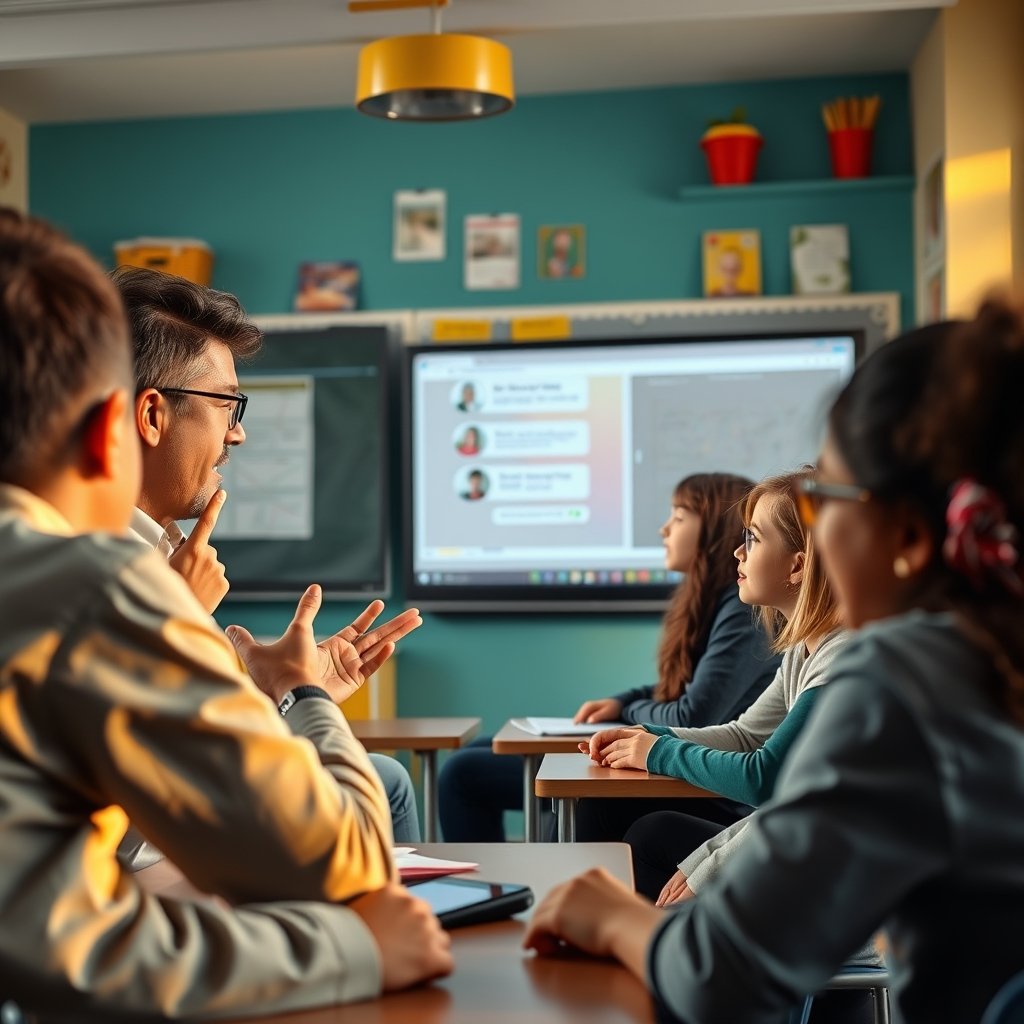
One of the standout features of ChatGPT is its ability to save time. Teachers often juggle multiple responsibilities, from lesson planning to grading and student communication. ChatGPT can automate these tasks, providing quick responses to common questions, generating quizzes based on lesson content, and even drafting emails to parents or students.
How to Integrate ChatGPT into Your Teaching Strategy
Integrating ChatGPT into your teaching strategy doesn’t have to be overwhelming. Here’s a step-by-step guide to get started: ChatGPT Memory Explained
- Identify Needs: Determine which aspects of your teaching could benefit from AI support, such as lesson planning or student engagement.
- Explore Use Cases: Consider how ChatGPT can assist in your specific subject area. For example, it can help with generating math problems or providing historical context.
- Start Small: Begin using ChatGPT for small tasks, such as generating a quiz or creating a lesson outline, before fully integrating it into your curriculum.
- Gather Feedback: Collect input from your students about their experience with AI-generated content and adjust your approach accordingly.
- Iterate and Improve: Continuously refine your use of ChatGPT based on feedback and your evolving teaching needs.
This structured approach will help ensure that you’re using ChatGPT effectively and in a way that enhances your teaching.
Examples of ChatGPT in Action
Imagine a history teacher wanting to create a lesson on World War II. By typing a prompt into ChatGPT, the teacher can receive a detailed lesson plan that includes objectives, key events to cover, and even questions for discussion. Similarly, an English teacher can generate writing prompts tailored to their students’ interests, fostering creativity and engagement.
Common Challenges and Limitations
While ChatGPT offers significant advantages, it’s essential to be aware of its limitations. Understanding these challenges allows educators to use the tool more effectively:
- Accuracy: ChatGPT’s responses are based on patterns in data, which means it can occasionally produce inaccurate or misleading information.
- Lack of Personalization: While it can tailor responses based on prompts, it doesn’t understand individual student needs as a teacher would.
- Dependence on Technology: Over-reliance on AI tools could diminish critical thinking and creativity among students.
- Ethical Concerns: Teachers must be mindful of the ethical implications of using AI, including issues of privacy and data security.
By acknowledging these challenges, teachers can implement ChatGPT in a balanced way, ensuring it complements rather than replaces traditional teaching methods.
Best Practices for Using ChatGPT
To maximize the benefits of ChatGPT while minimizing potential pitfalls, consider the following best practices:

- Verify Information: Always double-check the information generated by ChatGPT against reliable sources.
- Encourage Critical Thinking: Use AI-generated content as a starting point for discussions rather than definitive answers.
- Maintain Student Involvement: Ensure that students remain actively engaged in their learning process, rather than passively consuming AI-generated content.
- Stay Updated: Keep abreast of the latest developments in AI technology and educational resources to enhance your teaching practices.
Following these best practices will help educators harness the power of ChatGPT while fostering a rich learning environment.
Expert Tips for Teachers
Using ChatGPT effectively requires some finesse. Here are expert tips to enhance your experience:
- Use Clear Prompts: Be specific in your requests to get the most relevant and accurate responses.
- Experiment with Different Queries: Try various approaches to see what yields the best results for your needs.
- Incorporate Student Feedback: Encourage students to share their thoughts on AI-generated materials to improve future iterations.
- Collaborate with Colleagues: Share insights and strategies with fellow educators to optimize the use of ChatGPT across subjects.
These tips will help you and your students get the most out of ChatGPT, fostering a more innovative learning experience. ChatGPT Not Working Today? Here’s What You Need to Know
Common Mistakes to Avoid
To ensure a smooth integration of ChatGPT into your teaching practices, steer clear of these common mistakes:
- Neglecting Personalization: Don’t forget that while ChatGPT can provide generic responses, personalized instruction is still key.
- Ignoring Limitations: Be cautious about relying too heavily on AI for critical information or student assessment.
- Failing to Engage Students: Ensure students are involved in discussions about AI-generated content to enhance their learning experience.
- Using AI as a Replacement: Remember that ChatGPT is a tool to complement, not replace, your teaching strategies.
Frequently Asked Questions
1. Can ChatGPT help with grading?
ChatGPT can assist in creating rubrics and providing feedback, but it shouldn’t replace professional grading, as it may not accurately assess the nuances of student work.
2. Is ChatGPT suitable for all subjects?

Yes, ChatGPT can provide support across various subjects, from math and science to humanities and arts, making it a versatile tool for educators.
Is ChatGPT for Teachers really free? Yes, for verified U.S. K-12 educators, through June 2028. OpenAI has said pricing may change after that but has committed to advance notice.
Can I use it if I’m not in the U.S., or I teach higher ed? The free Teachers plan is currently U.S. K-12 only. Higher ed institutions can access ChatGPT Edu, a separate paid institutional product.
Does it replace grading? No — it can draft rubric-aligned feedback, but final grading judgment should stay with the teacher, particularly for anything nuanced (voice, originality, partial credit).
Is student data safe? On the Teachers plan, data isn’t used to train OpenAI’s models by default, and the plan is built around FERPA compliance. Consumer ChatGPT (free/Plus) doesn’t carry the same guarantees, so keep identifying student data out of it.
What’s the difference between Custom GPTs and workspace agents? Custom GPTs are configured assistants you converse with directly. Workspace agents (newer, still in preview) can run multi-step tasks on a schedule or inside tools like Slack with less direct supervision.
Bottom Line
The version of ChatGPT available to teachers today is a meaningfully different product than the one most “AI for teachers” articles still describe. The free Teachers workspace, Custom GPTs, and Study Mode are worth learning specifically — not as a replacement for your judgment, but as a way to get the repetitive parts of the job done faster so you have more time for the parts that actually need a human.
Sources: OpenAI — ChatGPT for Teachers, OpenAI — Study Mode, Educators Technology — ChatGPT for Education Guide
Key Takeaways
ChatGPT for teachers represents a transformative approach to education, offering numerous benefits such as time efficiency, resource creation, and personalized learning. By understanding its capabilities, challenges, and best practices, educators can effectively integrate this tool into their teaching strategies. Remember to engage students actively and verify the information provided by AI to ensure a balanced educational experience.
Conclusion
Embracing innovative tools like ChatGPT can significantly enhance your teaching practices, making learning more engaging and efficient. As education continues to evolve, staying informed about new technologies and methodologies is crucial. By integrating ChatGPT thoughtfully and effectively, you can create a dynamic learning environment that benefits both you and your students.
About the Author